


Participants
A personal place for programs, appointments, jobs, and conversations.
NativeStudio Workforce
A participant app under your brand. A clear workspace for your team. Bring programs, job opportunities, referrals, and everyday conversations together.
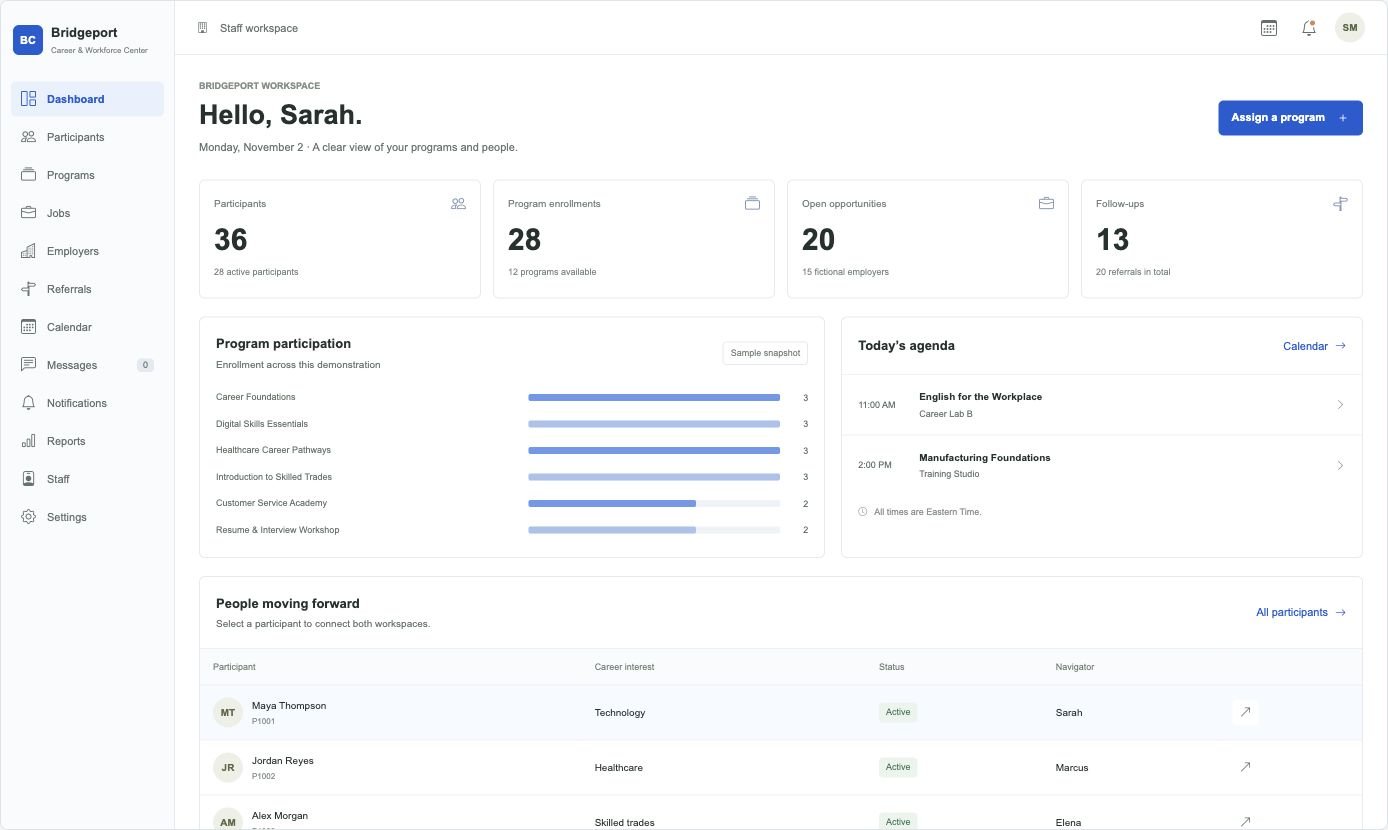
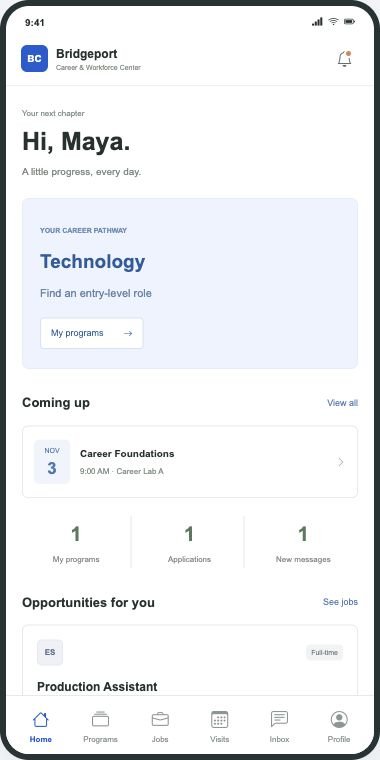
Interface shown: Bridgeport Career & Workforce Center. Fictional demonstration, not a client engagement.
People first. Operations connected.
Give each person a clear next step, and give your team the context to support it. Designed for career centers, workforce boards, and nonprofit program teams.
A personal place for programs, appointments, jobs, and conversations.
Shared visibility into enrollment, referrals, and the next follow-up.
Organized employer records and opportunities linked to participant interests.
Sessions, available places, and assignments connected in one workflow.
The platform
The demonstration connects these six areas with fictional records. Production workflows, permissions, and integrations are configured to your organization's requirements.
A branded mobile experience with a personal schedule, enrollment overview, job search, and direct access to staff.
Programs · Appointments · ProfileExplore program details, assign a participant, and see the enrollment appear in their app immediately.
Enrollment · Capacity · CalendarConnect employer records with job opportunities. Participants can save roles and simulate an application.
Opportunities · Saved jobs · ApplicationsReview referral status and add a fictional follow-up note. Production case-management scope is defined together.
Context · Ownership · Follow-throughTry a two-way conversation and schedule an in-app reminder. External email, SMS, and push are not connected.
Conversations · Reminders · UpdatesTrack the same records across lists, charts, and reports, with a downloadable fictional-data summary.
Visibility · Team access · ReportingA workspace with context
Move from an overview into a participant record, program, or conversation. The staff workspace and participant view share the same demonstration state.
Connected staff and participant views
Searchable, meaningful records
Resettable, isolated demonstration
How it works
One coherent journey, with a useful view for everyone involved.
The participant joins your organization's branded experience.
Programs, sessions, and relevant opportunities are easy to find.
Messages and reminders keep the participant connected with staff.
Your team reviews activity and coordinates the next follow-up.
Fits into your ecosystem
Your website, CRM, and communication tools can remain part of the picture. Connection options depend on available APIs, permissions, and agreed project scope.
Possible connections. No live integrations are connected in this demonstration.
 NativeStudio Workforce
A conversation, not another handoff
Give participants a straightforward way to ask a question, and give staff the program context to respond.
In the interactive demonstration, send a message from either side and watch it appear in the connected inbox. Nothing is sent to a real participant.
Try the connected experienceMade to fit your organization
Start with participant engagement and coordination. Replacing an existing system is a discovery decision, not a requirement.
Define source-code handover, hosting, access, migration, and data responsibilities in the project agreement.
Confirm onboarding, maintenance, security responsibilities, and support before launch. Pricing follows the agreed scope.
This is a product demonstration, not a certified government or HIPAA-compliant case-management system. Production requirements are assessed separately.
Explore it yourself
Explore the staff workspace and participant app with fictional data. Assign a program, exchange messages, and follow the changes.